
Name Change
PRISM Student Support
Update Your Chosen Name at Chaffey College
Students can update their chosen or preferred first name through Chaffey College’s MyChaffey Portal. This update allows your chosen name to appear in areas such as class roster, transcripts, diploma (optional), and other campus systems accessed by faculty and staff. Updating your name helps create a more affirming and inclusive college experience by ensuring your identity is reflected across Chaffey’s platforms.
Log in to MyChaffey
Log in to the MyChaffey Portal and select Tools on the menu. Expand “Student Records and Information Forms” and choose the “Student Update Form.”
Select Name Change Correction
On the Student Information Update page, under “Please select which information you would like to update,” select “Name Change Correction.”
Note: Since this is a chosen name change, ignore the new legal name section.
Enter your chosen name
Enter your current name on file in the “Current Chosen First Name” field and enter your new chosen name in the “Chosen First Name” field.
Submit the form
Submit the form to update your chosen name in the Chaffey College database.
Where your chosen name appears
- Class roster
- Transcripts
- Diploma, optional
Processing and campus ID
Campus ID reprints are free after adding a chosen name.
Processing time is within 2 to 4 business days.
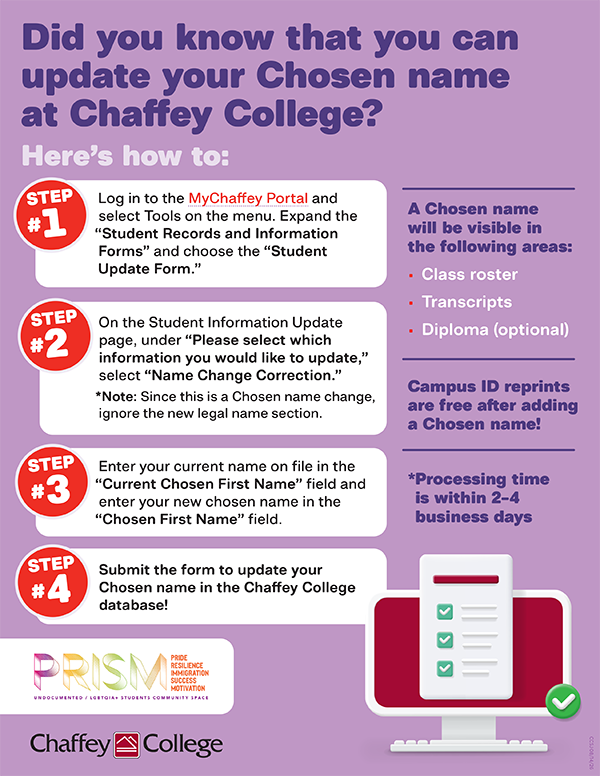 View the Update Your Chosen Name flyer PDF
 Accessible text version of the Update Your Chosen Name flyer
Update Your Chosen Name at Chaffey College
Did you know that you can update your chosen name at Chaffey College?
Here’s how to update your chosen name
Step 1
Log in to the MyChaffey Portal and select Tools on the menu. Expand the “Student Records and Information Forms” and choose the “Student Update Form.”
Step 2
On the Student Information Update page, under “Please select which information you would like to update,” select “Name Change Correction.”
Note: Since this is a chosen name change, ignore the new legal name section.
Step 3
Enter your current name on file in the “Current Chosen First Name” field and enter your new chosen name in the “Chosen First Name” field.
Step 4
Submit the form to update your chosen name in the Chaffey College database.
Where your chosen name will appear
- Class roster
- Transcripts
- Diploma, optional
Campus ID and processing time
Campus ID reprints are free after adding a chosen name.
Processing time is within 2 to 4 business days.
PRISM
PRISM stands for Pride, Resilience, Immigration, Success, and Motivation. PRISM is an Undocumented / LGBTQIA+ Students Community Space.
Requesting a Name Change for e-mail (Staff)
To request the use of a chosen name in your email display:
The employee must make a request to HR to add a preferred name in Colleague.
HR Submits a change request to IT and the employee's email address is then changed
to their chosen name.
